 Prompt Advisers
Field Notes · AI Tutorials
Fable 5.2 Robot Assistant: I Built One With Claude
Fable 5.2 robot assistant, built on a $99 desk bot with my voice, email, and calendar. See the 8 part prompt and what broke along the way.
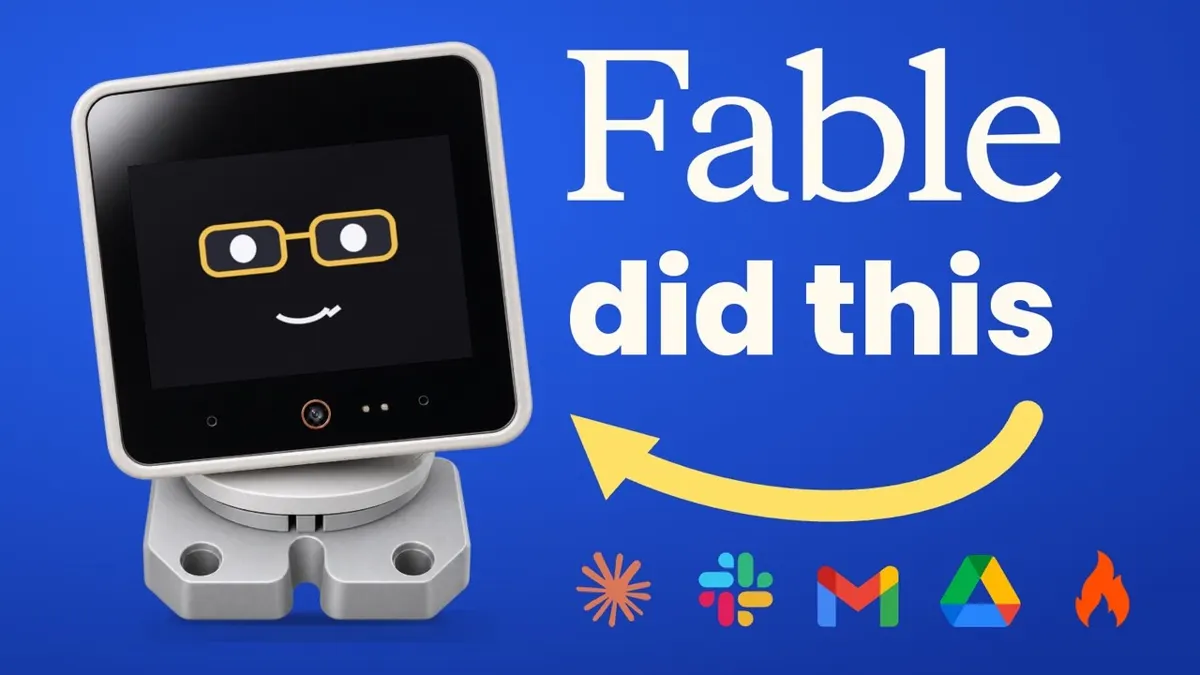
A Fable 5.2 robot assistant is a physical desk bot whose software and firmware were rebuilt by Claude Fable 5.2, so it can answer questions, check email and calendar, and talk back in your own voice. I built mine on a $99 off the shelf robot I had never programmed. It took 20 versions, and the process works for any hardware you can plug into a laptop.
TL;DR
- I rebuilt a $99 M5Stack desk robot into a voice assistant that speaks in a clone of my voice, with no hardware experience.
- The build took 20 versions: Fable 5.2 planned the first few, then Opus 5.5 iterated to the final one.
- My prompt to Fable had 8 parts, from device research and backup to restrictions and troubleshooting.
- My Mac ran over 30 synthetic voice conversations on its own to find bugs while I was away.
How the Fable 5.2 Robot Assistant Actually Works
The robot listens for "Hey Lil Token," sends my speech to Claude, and plays the answer back in a Fish Audio clone of my voice.
The bot is called Lil Token and weighs about as much as my phone. When I ask what is on my calendar, it reads my real Google Calendar. A flame on its forehead means Firecrawl research, and a Google icon means email or calendar. It also reaches hundreds of other apps through the free Composio library.
It runs on my Claude subscription, so its one liners are not hard coded. It reads my real inbox and drafts replies, but it cannot send anything.
Want to build things like this with a group of people doing the same? Join Early AI-dopters, our community of 1,000+ members mastering Claude Code and Codex.
Most model demos show a game or a throwaway app. I wanted something real. For more everyday setups, see my guide to the best AI personal assistant.
What Was the Prompt I Gave Fable?
The prompt had eight parts, and each one answers a question Fable needs settled before it touches hardware.
- Research the device. I told Fable to use Firecrawl to find the exact make and model, then read the maker docs, product page, open source firmware projects, and owner forums.
- Break down every component. Screen, camera, microphones, speakers, sensors, Wi-Fi.
- Back everything up. Before wiping anything, Fable made a full backup of the software and firmware.
- Goal engineering. I swapped the default Qwen model for Opus 5.5 through the Claude SDK, which bridges your subscription to software and hardware. For personal use this should be fine under the terms of service, but do your own due diligence.
- Voice and wake word. Fish Audio clones my voice, and the bot listens 10 to 15 seconds after the wake word.
- Response style. Short, concise answers.
- Restrictions. No sending email on my behalf.
- Troubleshooting. Trace and screenshot every second of a test session.
I had Claude research the top three robots it could fully control, and I picked the M5Stack one for price. I am not affiliated with them.
How Did I Clone My Voice for the Bot?
I cloned my voice by feeding 15 of my earlier YouTube videos into Fish Audio. That took minutes, and the result talks back as me.
Fish Audio has a newer, more emotive model. You add bracketed directions that tell the voice to sound startled, happy, or excited, and Fable added one to every pre-canned line. It is a small change that makes the bot feel alive.
Can Claude Fix Its Own Bugs on Hardware?
Yes, but only if you give it traces to read. Without them, Fable guesses, and the bot broke in very funny ways. At one point Lil Token had green bands across his whole face.
My wall of shame listed the main problems:
- Slow replies and a long lag before answers.
- No reaction to touch at first.
- Missing "Lil Token" when I mumbled it.
- Dancing that never stopped, because the motors drowned out the stop word.
The fix for voice bugs was my favorite trick. My Mac played synthetic audio through its speakers and held full conversations with the bot while Claude listened and logged errors. A few hours later it had run over 30 conversations without me in the loop. If you build voice agents, steal this.
For tool misfires, test runs logged which tools were requested but never fired, and Fable and Opus read those traces every session.
Fable 5.2 vs Opus 5.5 for Hardware Projects
Neither wins everywhere, and the best setup used both. Fable is stronger at planning, while Opus is cheaper to iterate with.
| Task | Better fit | Why |
|---|---|---|
| Researching the device and spec | Fable 5.2 | Deeper planning on an unfamiliar product |
| First few firmware versions | Fable 5.2 | Rebuilt firmware from scratch |
| Versions 5 to 20 | Opus 5.5 | Faster loop, lower usage burn |
| Day to day assistant brain | Opus 5.5 | Runs on my subscription |
A few weeks ago I could still do this with Opus alone, but it took much more planning. New to the model? Read my notes on Claude Fable 5.
The bot also reacts to being picked up, takes a photo every 20 seconds to see if I am back, and dances by music type. Recordings and camera checks stay on my Mac. For more on keeping data home, see my local AI setup guide. Sources: the Firecrawl docs, the Composio site, the Fish Audio docs, and the M5Stack shop.
Mark's Final Thoughts
Frontier models can work on real hardware, not only vibe coded apps. A 3D printer is on its way, so expect more experiments like this.
Fable 5.2 Robot Assistant FAQs
Can Claude Fable 5.2 control physical hardware?
Yes. Fable 5.2 wiped a $99 desk robot, read its manual, and rebuilt the firmware and software from scratch, including the touchscreen, camera, microphones, and sensors. I had never programmed a robot before.
How much did the robot personal assistant cost?
The robot cost $99 from M5Stack. The AI runs on my existing Claude subscription, and Composio is free for app connections. Fish Audio and Firecrawl have their own pricing, so check those before you start.
Did I use Fable 5.2 for every version?
No. The final bot took 20 versions. Fable 5.2 planned and built the first few, then Opus 5.5 iterated the rest. Fable usage is better than 5.1 but still runs hot, so this split saves usage.
Can the AI robot send emails on its own?
No. It reads my real inbox and drafts replies, but I told Fable to block sending. That restriction is built into the firmware as a guardrail against hallucinations or bugs.
Do I need a robot to use this approach?
No. The same eight part prompt fits any device you can plug into your computer, like a 3D printer. Describe the device, back it up, set the goal, then add restrictions and troubleshooting.
By Mark Kashef
All field notes